A step-by-step guide on how to onboard an MSP.
Reseller Agreement
1. Review and sign the Strictly Resseller Agreement and the Strictly Authorization Direct Deposit Form.
2. Once the agreement is signed, you will receive approval to proceed with onboarding accounts.
3. Upon approval you will receive:
Onboarding Strictly Entity's
1. Initiate the Request, begin by creating a new entity for Elavon, specifically for Strictly accounts.
2. Test Merchant ID Request, Submit a request to obtain a test Merchant Identification Number (MID) for testing with Strictly.
3. Request the P365core File, use the Data Transmission Questionnaire (DTQ) to request the P365core file from Elavon.
Strictly Pro Tips
1. The Merchant Identification Number (MID) is linked to the newly created entity.
2. For every account opened under the entity:
- A completed Merchant Application Order Form must be submitted to maintain compliance with the Terms and Conditions of Strictly Zero Technologies LLC.
3. When MSP receives residual file at end of month from Elavon, MSP is required to send file to Strictly to reconcile payout.
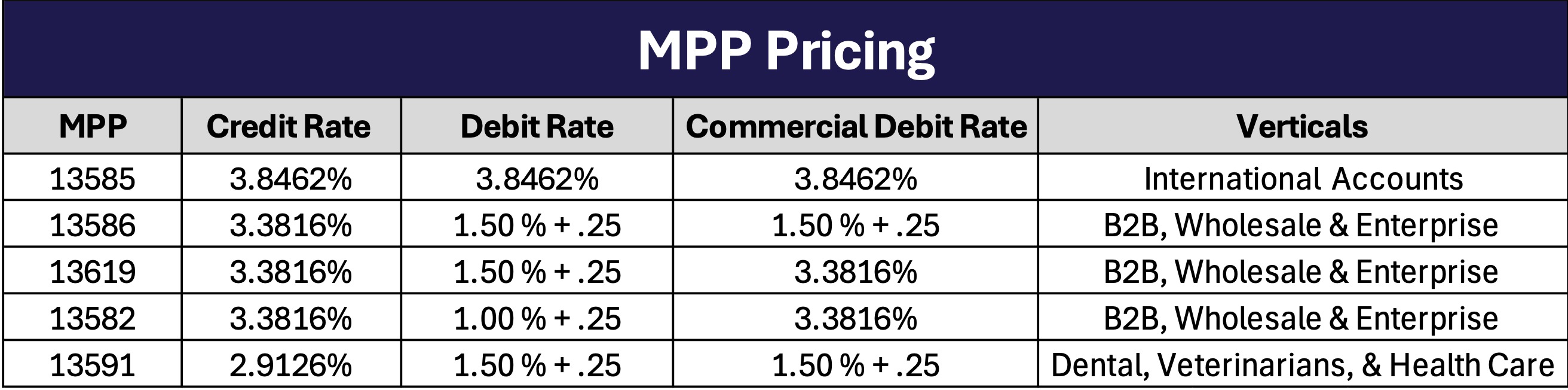
Strictly Pricing/ MPP Codes
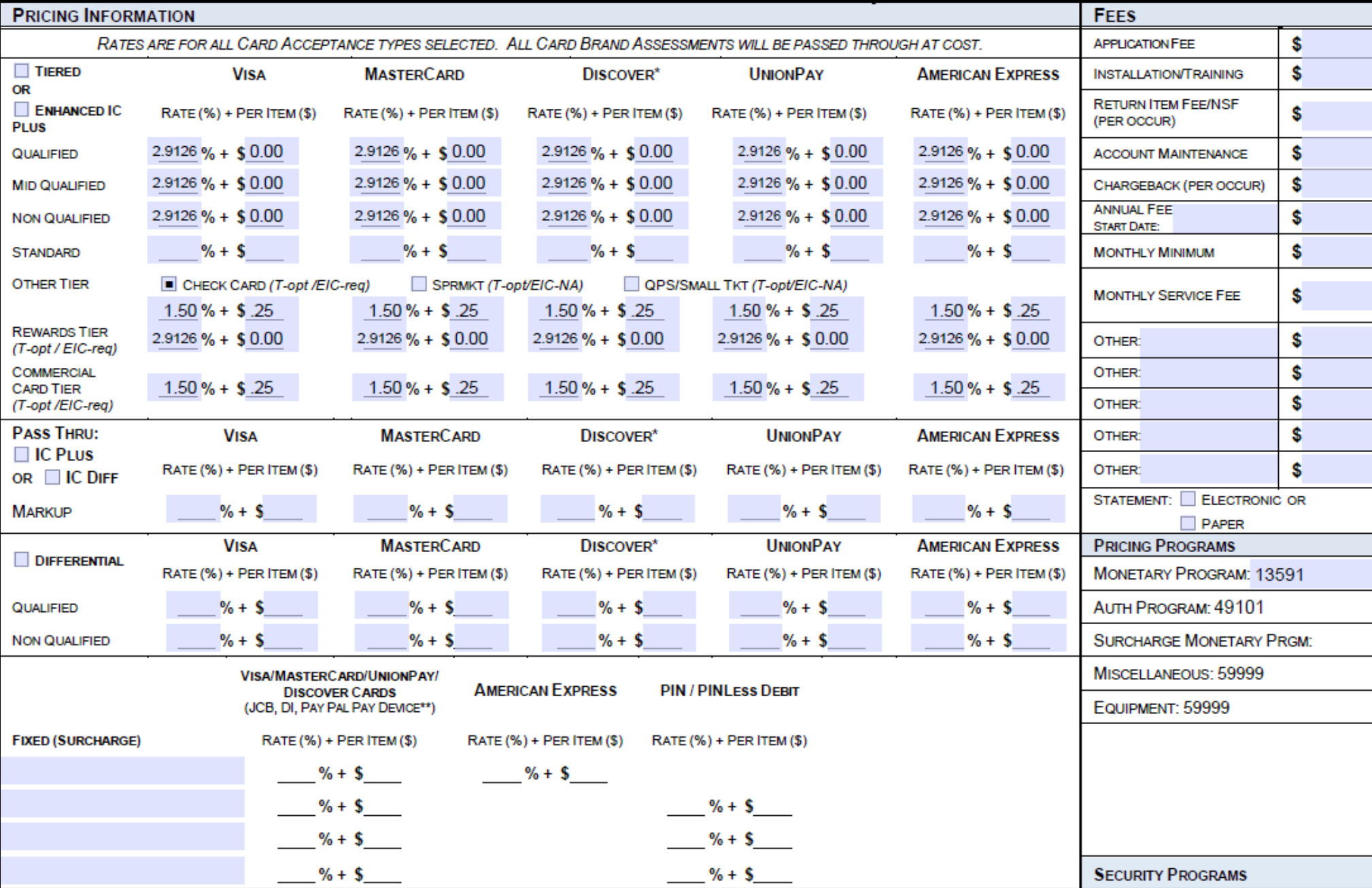
Vertical Example of Pricing on MPA: Dental, Veterinary and Healthcare
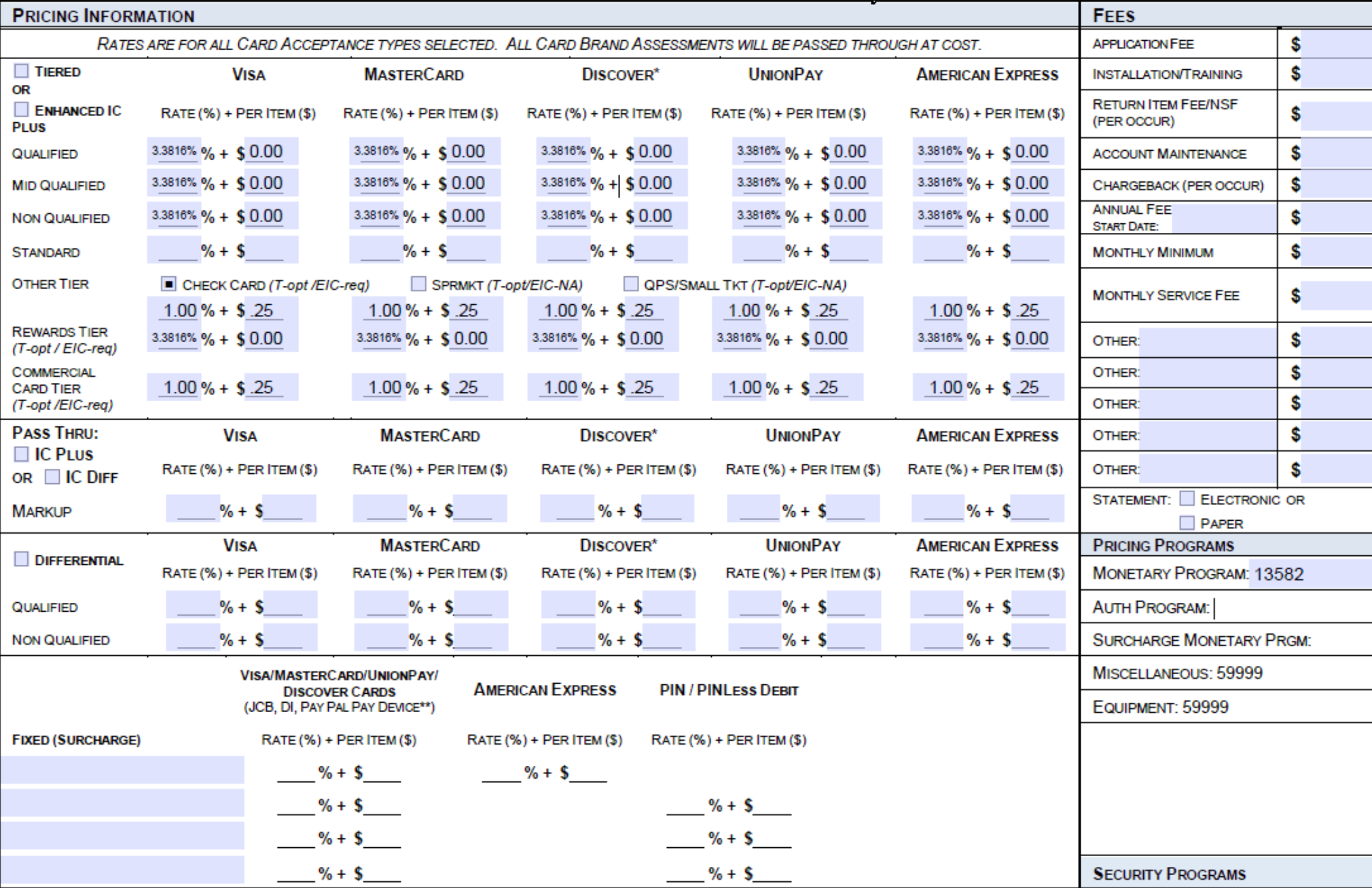
Vertical Example of Pricing on MPA: B2B, Wholesale and Enterprise
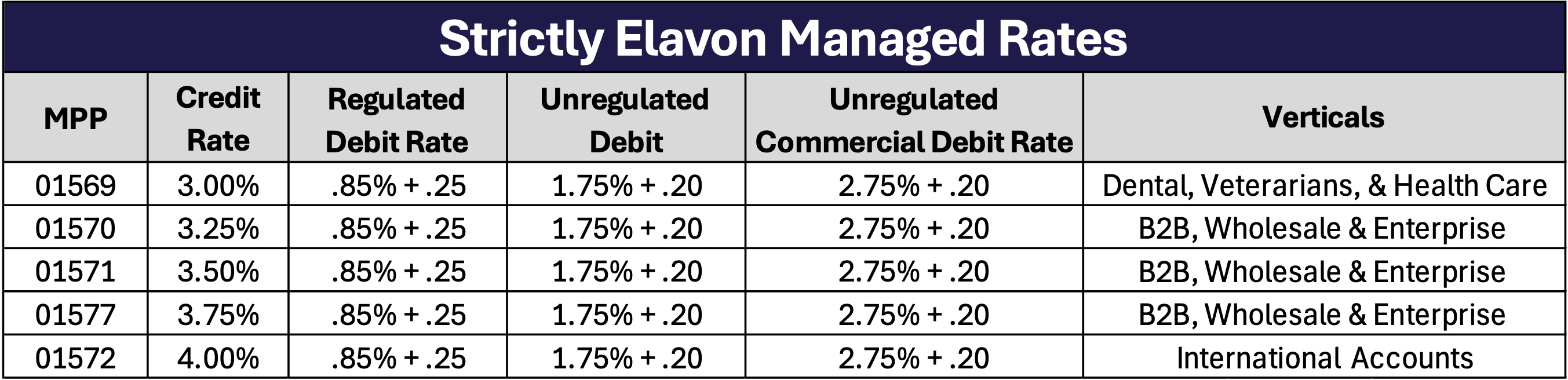
Strictly Elavon Managed
*Note: All Deposits are 100% net deposits on both Debit and Credit Cards.
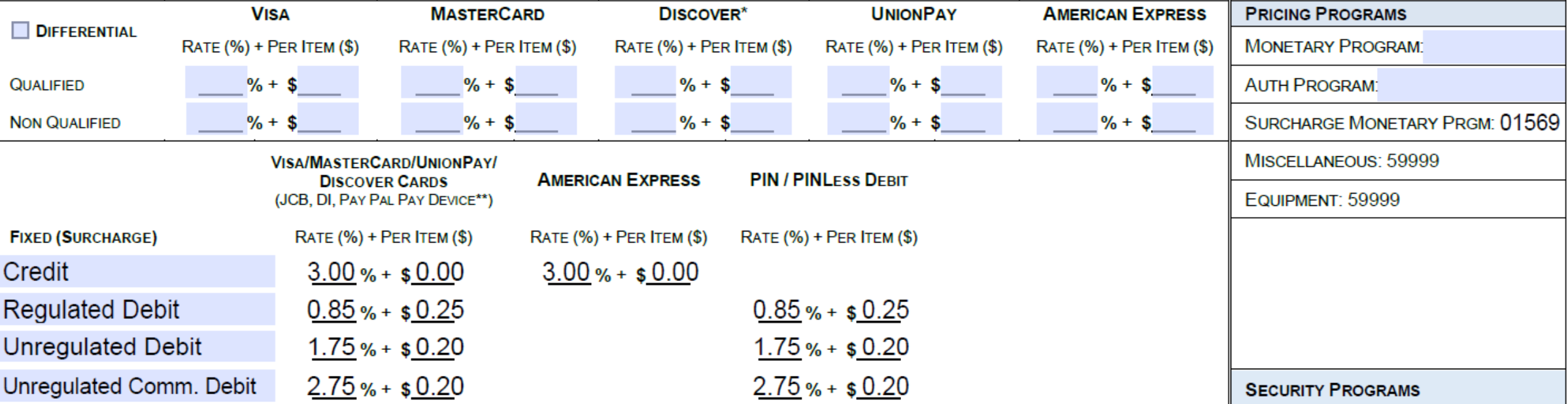
Vertical Example of PRicing on MPA: Managed 3.00%
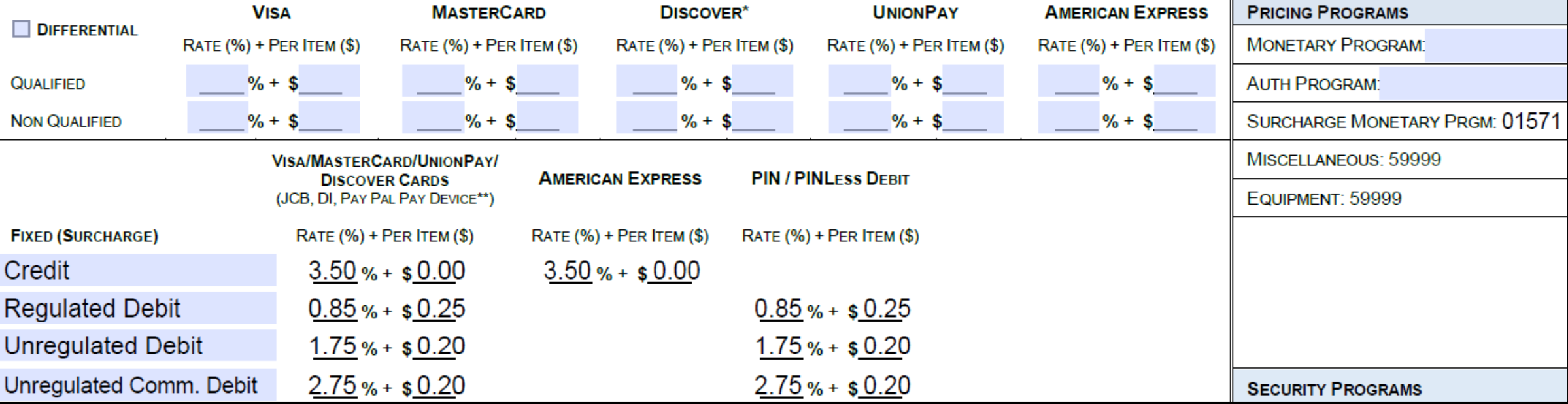
Vertical Example of PRicing on MPA: Managed 3.50%
How to Board Accounts in Strictly?
1. Step 1: Request a Tearsheet through Elavon:
2. Email Required Documents.
3. After receiving the requested tearsheets, email the following to support@strictlyzero.com:
- Tearsheets
- Approved and Signed MPA (Merchant Processing Agreement)
- Signed Strictly Merchant Application Order Form
Compliance Reminder: Why Compliance is Important?
- Ensures adherence to Strictly Zero Technologies LLC Terms and Conditions.
- Protects both the MSP and Strictly from potential risks and liabilities.
Contact for Assistance
1. Need help during onboarding?
2. Contact Support Team:
- Email: support@strictlyzero.com
- Phone: 305-869-9016 ext. 204
Was this article helpful?
That’s Great!
Thank you for your feedback
Sorry! We couldn't be helpful
Thank you for your feedback
Feedback sent
We appreciate your effort and will try to fix the article